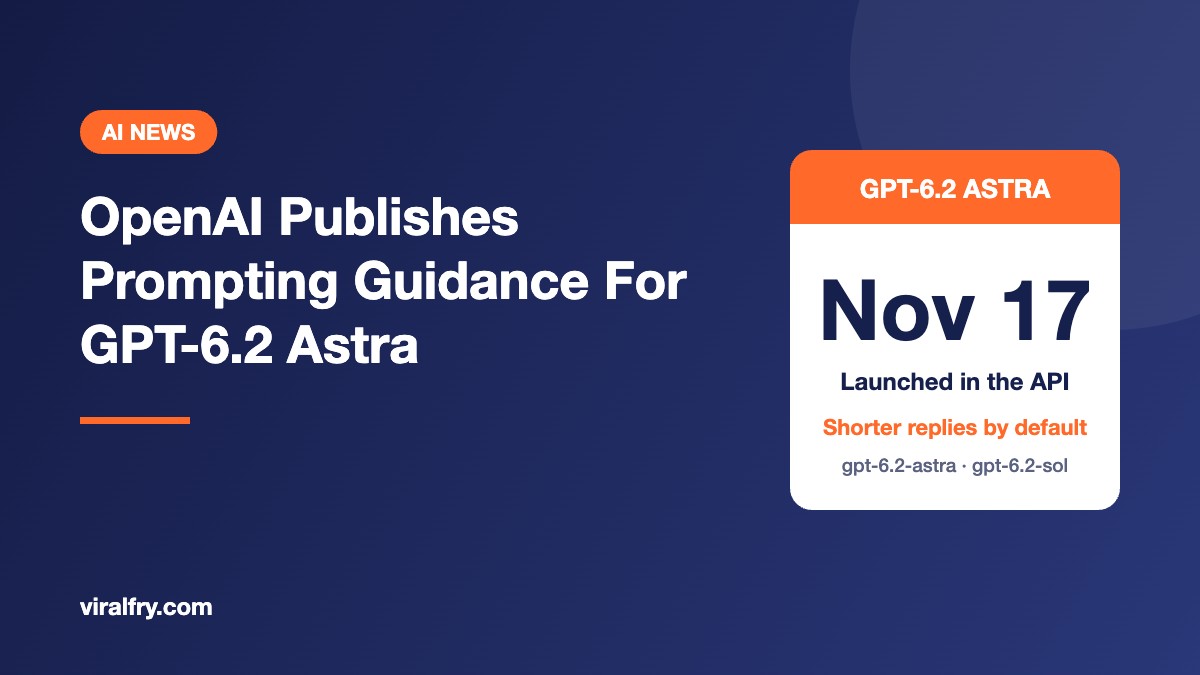
OpenAI has published a prompting and migration guide for GPT-6.2 Astra and GPT-6.2 Sol, the two models it launched on November 17, 2026. The big change is that Astra now writes shorter, more direct answers by default, so the “be concise” lines many teams added to their prompts for earlier models may now be doing more harm than good. The guide also flags an API change that quietly throws away the model’s saved reasoning when an app edits earlier parts of a conversation.
If you run anything on OpenAI’s API, from a content brief generator to a support bot, here is what changed and what to check before you swap in the new model name.
What Did OpenAI Release?
GPT-6.2 Astra and GPT-6.2 Sol went live on November 17, and developers can call them in the API as gpt-6.2-astra and gpt-6.2-sol. OpenAI positions Astra for the most demanding tasks and Sol for complex work at a lower cost.
Alongside the launch, OpenAI updated its developer docs with a GPT-6.2 guide that covers behavior changes, sample prompts and a step-by-step migration checklist. OpenAI describes the sample prompts as a starting point, built from behavior it has seen while working with both models.
How Is GPT-6.2 Astra’s Writing Different?
This is the change most people will notice first. According to the guide, Astra is more concise and direct by default than earlier models, and its tone can be adjusted anywhere from a professional colleague to a more conversational assistant.
That is a real shift from the GPT-6 Astra guidance, which said the model leaned toward detailed, formatted answers full of lists, tables and Markdown. In one version, OpenAI has gone from helping developers rein in formatting to asking them to check whether their brevity instructions are still needed at all.
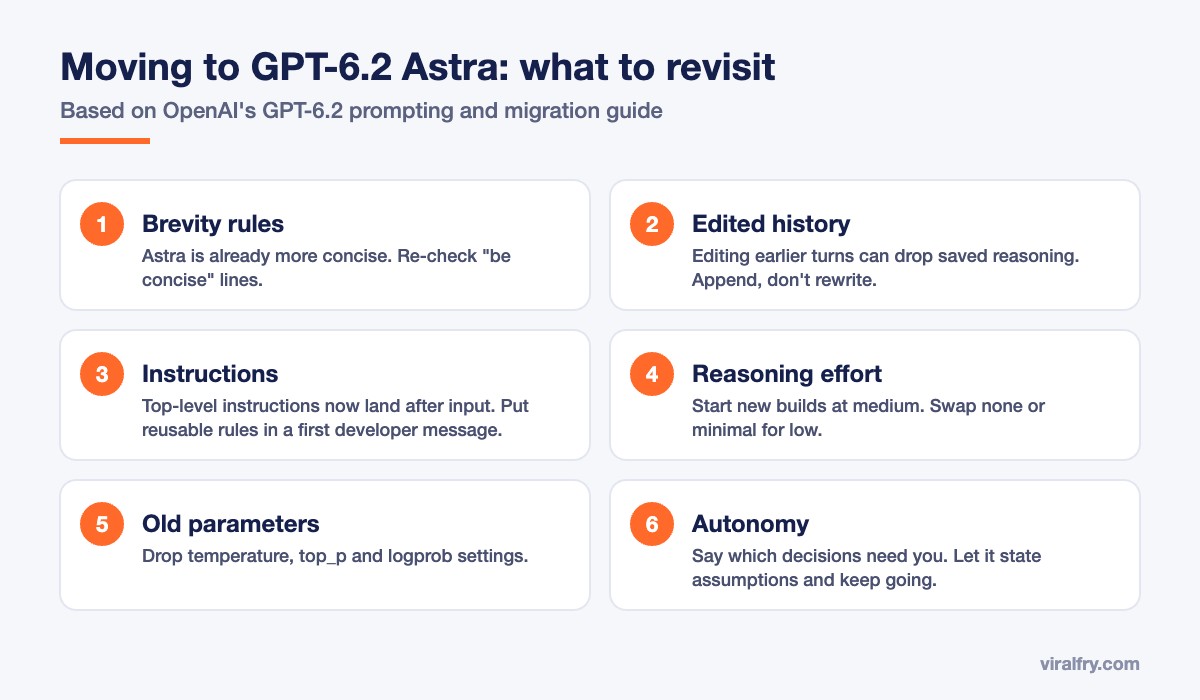
Why does that matter? If you stack “be concise” or “keep it short” on top of a model that is already brief, you can end up with answers that are too thin. For marketing and content tools, that usually shows up as drafts that skip the context a reader needs.
The guide adds two writing tips worth copying into your own prompts:
- Tell the model who the reader is. For messages going to outside audiences, explain that those readers do not share your context, so the model should supply the background.
- Protect the original when editing. When the model is revising someone else’s work, tell it to preserve the author’s content and wording and only change what the user asks for.
What Is the Edited History Change, and Why Should Developers Care?
Starting with GPT-6.2, the Responses API drops the model’s reasoning items when it detects that the conversation history was edited, that the app switched to a different or lower model, or that the end user or organization changed. When that happens, answer quality can dip and token use goes up, because the model has to redo thinking it had already done.
The tricky part is that plenty of apps trigger this without meaning to. OpenAI lists examples such as shortening an old tool result, rewriting a developer message, or replacing older turns with a summary. A lot of agent frameworks do exactly that to save context space.
OpenAI’s advice is to keep the start of the conversation (the “prefix”) unchanged. If your instructions need to change midway, append a new developer message that tells the model to ignore the older instruction instead of rewriting the original. As a bonus, keeping the prefix stable also keeps prompt caching working.
What Else Changes When You Migrate?
The migration checklist has a handful of technical changes. These are the ones most likely to break or quietly change an existing integration:
- Instruction placement: top-level
instructionsare now added after the input. Reusable, cacheable instructions should go in adevelopermessage as the first input item. - Reasoning effort: start new integrations at
medium, and replacenoneorminimalwithlow. - Removed parameters: drop
temperature,top_pand the logprobs settings from your requests. - Tool calling: Chat Completions still works, but tool calling needs the Responses API.
- Background mode (public beta): long-running requests can use two-hour or eight-hour completion windows. Astra and Sol do not support Flex processing.
- Prompt caching: if you are coming from GPT-5.5 or earlier, swap
prompt_cache_retentionforprompt_cache_options.ttlset to “30m”.
How Should You Prompt Astra for Long or Autonomous Tasks?
When a request is unclear, Astra may suggest a next step and wait for a yes. That is great in a chat window but can stall an agent that is supposed to run on its own.
For autonomous work, OpenAI recommends spelling out the outcome you want and which decisions genuinely need a human. Its sample prompts tell the model to make reasonable, reversible assumptions, say what they are, and keep going. It should only stop for a major change in scope, a real blocker, a decision only the user can make, or anything irreversible or destructive.
There is one more quirk on long tasks: final answers can pick up shorthand, jargon or abbreviations from the model’s own reasoning or from other agents. The fix is to ask for self-contained final answers that make sense to someone who never saw the progress updates. OpenAI also describes an async question tool that lets the model ask the user something while it keeps working on other parts of the task, though your app has to define that tool itself.
What Does This Mean for Marketers and SEO Teams?
A lot of marketing work now runs on these APIs, from content briefs and meta descriptions to audit summaries. If that is you, a few practical takeaways:
- Test before you switch. Shorter by default can mean thinner blog drafts or briefs. Run your real prompts side by side before changing the model name in production.
- Clean up your prompt library. Look for stacked brevity rules that were written for wordier models.
- Watch your token bill. If your tool summarizes or trims old turns to save space, expect higher costs or weaker output unless you restructure it.
- Name the audience. For client-facing or published copy, tell the model who will read it so it fills in the right background.
The bigger pattern is hard to miss. Newer models from every major lab keep asking for leaner prompts, and Anthropic gave similar advice when it asked developers to retest effort settings carried over from older Claude models. Long rule lists written for last year’s models are turning into a liability. If you use AI tools in your content workflow, our roundup of AI SEO tools for content optimization is a good place to compare options, and our guide on getting your brand cited in ChatGPT, Perplexity and AI Overviews covers the other side of the AI search equation.
Frequently Asked Questions
What is GPT-6.2 Astra?
GPT-6.2 Astra is OpenAI’s most capable model in the GPT-6.2 family, meant for the most demanding tasks. Its sibling, GPT-6.2 Sol, handles complex work at a lower cost.
When did GPT-6.2 Astra launch?
OpenAI launched GPT-6.2 Astra and GPT-6.2 Sol on November 17, 2026. They are available in the API as gpt-6.2-astra and gpt-6.2-sol.
Should I remove “be concise” from my prompts?
Not automatically, but you should test it. OpenAI says Astra is more concise and direct by default, so brevity instructions written for older models may make answers too short.
Why is my GPT-6.2 app using more tokens than before?
If your app edits earlier conversation history, switches models, or changes the user or organization mid-conversation, the API drops the model’s saved reasoning. The model then repeats work, which uses more tokens and can lower quality.
What reasoning effort should I use with GPT-6.2 Astra?
OpenAI suggests starting new integrations at medium and replacing none or minimal settings with low.
Sources: OpenAI GPT-6.2 developer guide, via Search Engine Journal.
Add as Preferred Source