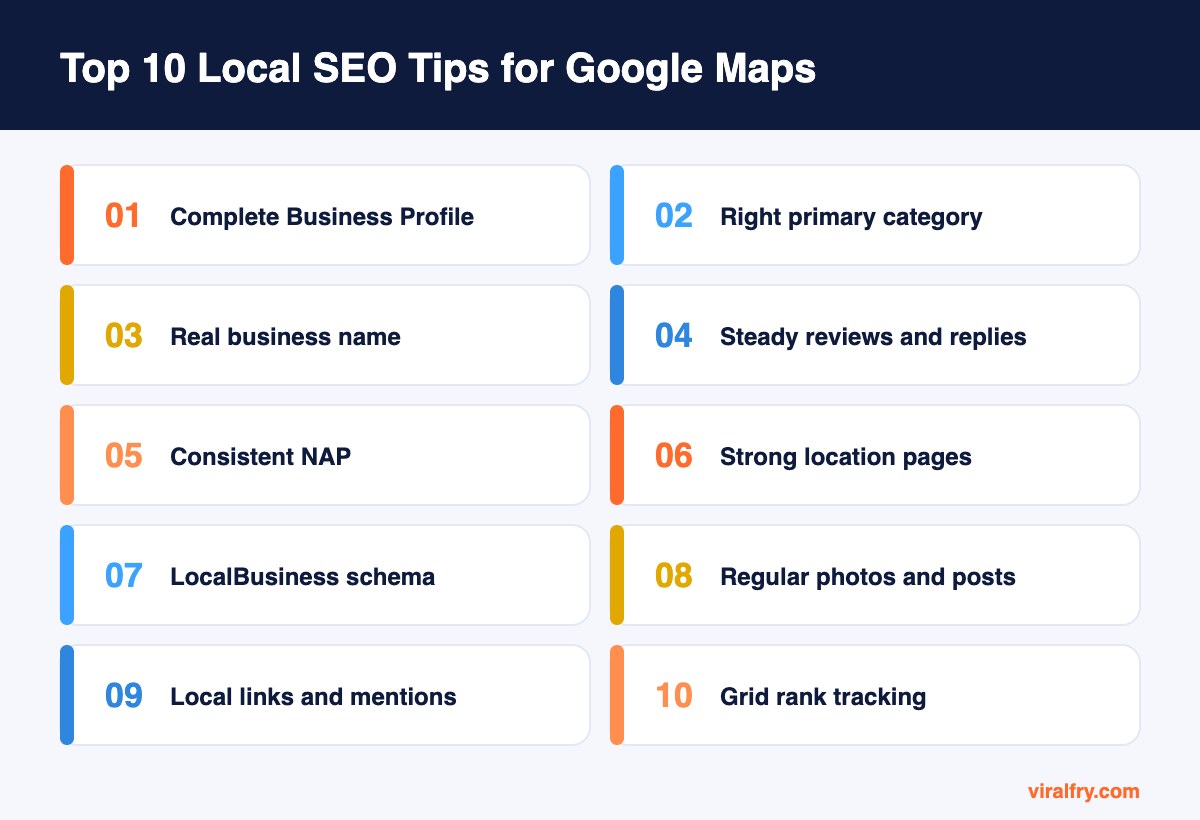
To rank in Google Maps, fully complete your Google Business Profile, choose the most accurate primary category, use your real business name, earn reviews steadily and reply to them, keep your name, address, and phone consistent everywhere, build strong service and location pages, add LocalBusiness schema, post photos and updates, earn local links, and track rankings across your service area. Google says local rankings depend mainly on relevance, distance, and prominence.
For local businesses, the map pack often drives more calls than the regular search results below it. The good news is that much of local SEO is about consistency and good habits rather than technical skill.
What Are the Best Local SEO Tips for Google Maps?
1. Claim and fully complete your Google Business Profile
Your Business Profile is the foundation of Maps rankings. Claim it, verify it, and fill in every relevant field: business name, address or service area, phone, website, hours, attributes, products, and services.
Write a description that explains what you do and where, in plain language, without stuffing keywords.
2. Choose the right primary category
Your primary category is one of the strongest local ranking factors. Pick the category that best describes your main service, then add a few accurate secondary categories.
Check what categories top-ranking competitors use; tools and browser extensions can reveal them.
3. Use your real business name
Adding keywords or cities to your business name (“Smith Plumbing Best Plumber Austin”) breaks Google’s guidelines and can get your profile suspended.
Use your real-world name exactly as it appears on your signage and documents.
4. Earn reviews steadily and reply to all of them
Review count, rating, and recency all matter. Ask every happy customer for a review with a short link, ideally right after the job is done.
Reply to every review, positive or negative, within a few days. Never offer incentives for reviews or post fake ones; both violate Google’s policies.
5. Keep your NAP consistent everywhere
Your name, address, and phone number (NAP) should match exactly across your website, Business Profile, Apple Maps, Bing Places, Yelp, Facebook, and industry directories.
Inconsistent listings confuse search engines and customers. Tools like BrightLocal help find and fix them.
6. Build strong location and service pages
Create a dedicated page for each main service and, if you serve several areas, genuinely useful pages for each location. Include local details, photos, team members, FAQs, and testimonials from that area.
Avoid thin “city swap” pages that only change the town name.
7. Add LocalBusiness schema
Mark up your website with LocalBusiness (or a more specific type such as Dentist or Plumber) including name, address, phone, hours, and geo coordinates.
Validate it with the Rich Results Test and keep it consistent with your Business Profile.
8. Post photos and updates regularly
Upload real photos of your team, location, and work every month, and use Google Posts for offers, events, and news.
Active profiles give customers confidence and give Google fresh information about your business.
9. Earn local links and mentions
Sponsor local events, join the chamber of commerce, partner with nearby businesses, and get featured in local news or blogs. Local links and mentions reinforce your relevance to the area.
A link from a respected local news site is often worth more for Maps than a generic national link.
10. Track rankings across your service area
Map rankings change block by block because proximity matters. Use a grid-based tracker such as BrightLocal or Local Falcon to see how you rank across your city, not just from one point.
Combine that with Business Profile insights on calls, direction requests, and website clicks.
How Does Google Rank Businesses in Maps?
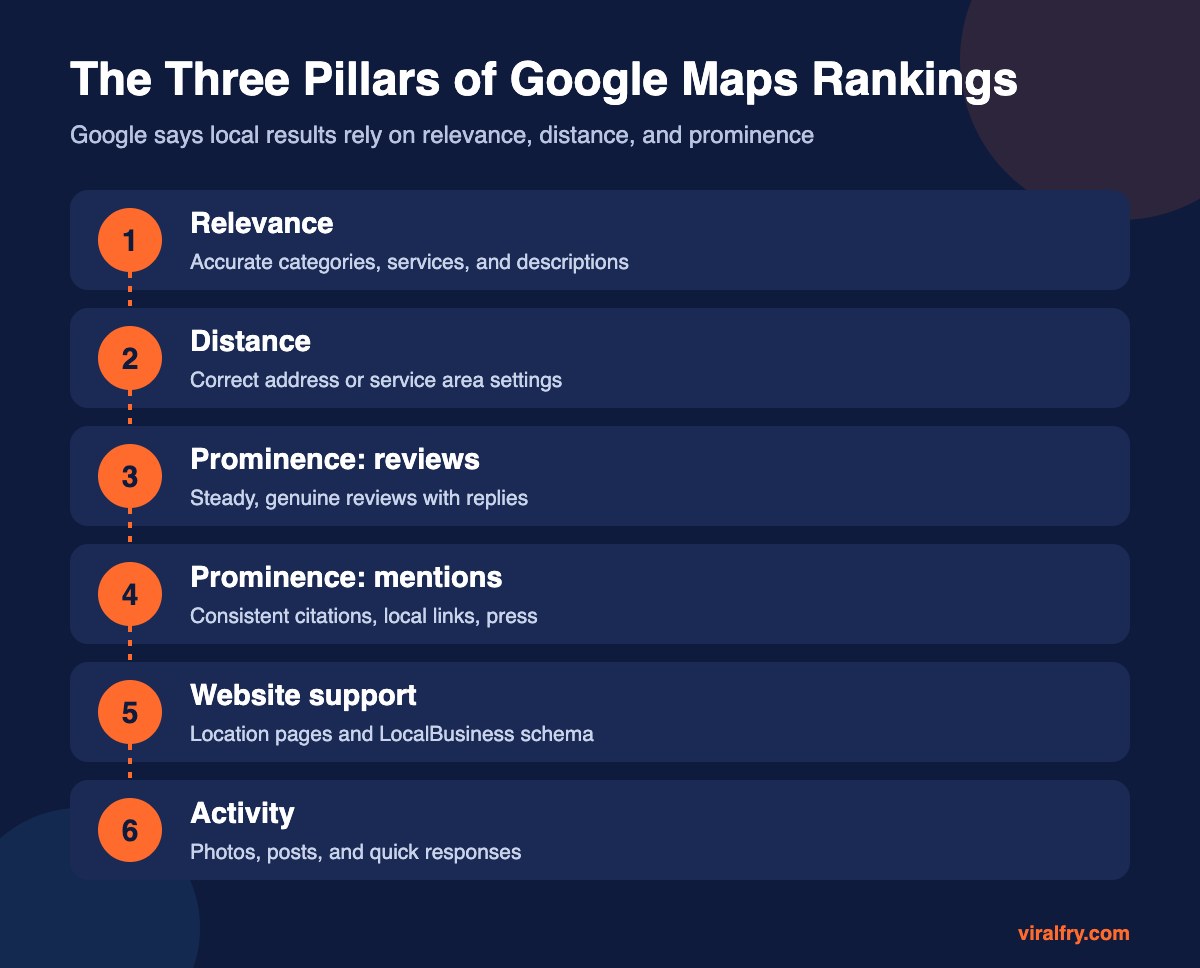
| Factor | What it means | What you control |
|---|---|---|
| Relevance | How well your profile matches the search | Categories, services, description, website content |
| Distance | How far you are from the searcher or location in the query | Accurate address or service area |
| Prominence | How well known and trusted your business is | Reviews, links, mentions, citations, activity |
You cannot change where a searcher stands, so focus your energy on relevance and prominence.
How Long Does Local SEO Take?
Profile fixes such as a better category or complete information can show changes within weeks. Building reviews and local authority takes months of steady effort. Businesses that ask for reviews after every job usually pull ahead of competitors within a quarter or two.
Does Local SEO Help With AI Search?
Yes. When people ask AI assistants for local recommendations, the answers often draw on Business Profile data, reviews, and local mentions. Accurate, consistent business information is the foundation for both. Learn more in our guide to getting cited in AI answers.
What Local SEO Mistakes Should You Avoid?
- Keyword-stuffing your business name
- Listing a virtual office or PO box as your address
- Buying or incentivizing reviews
- Creating duplicate profiles for the same location
- Ignoring negative reviews instead of replying calmly
If you run Local Services Ads too, note that the old Google Guarantee badge has changed; see what replaced Google Guarantee.
What Is a Simple Weekly Local SEO Routine?
Monday: reply to every new review from the past week and send review requests to last week’s customers. A short, personal text or email with a direct review link works better than a generic newsletter.
Wednesday: upload two or three fresh photos to your Business Profile, such as completed jobs, new products, or your team at work, and publish a short Google Post about an offer, event, or helpful tip.
Friday: check your profile for any edits suggested by users or Google, answer new questions in the Q&A section, and glance at calls, direction requests, and website clicks in the performance report.
Once a month, check one directory listing for accuracy and look for one local partnership or sponsorship that could earn a mention. Thirty minutes a week, done consistently, beats a big push once a year.
Should You Also Optimize Apple Maps and Bing Places?
Yes. Apple Maps powers Siri and iPhone navigation, and Bing Places feeds Bing search and Microsoft Copilot. Claiming both takes less than an hour, uses the same information as your Google profile, and puts you in front of customers who never open Google Maps.
Key Takeaways
- Your Google Business Profile is the core of Maps rankings.
- Choose the right primary category and use your real name.
- Earn steady, genuine reviews and reply to all of them.
- Keep NAP consistent and build useful local pages.
- Track rankings across a grid, not from one point.
Frequently Asked Questions
How do I rank higher on Google Maps?
Complete and verify your Google Business Profile, choose accurate categories, earn and respond to reviews, keep your business information consistent across the web, and build local links and content.
Do reviews affect Google Maps rankings?
Yes. Review quantity, rating, and recency contribute to prominence, which is one of Google’s main local ranking factors.
Can I rank in Google Maps without a physical address?
Yes. Service-area businesses can hide their address and set a service area instead, but they must still have a real location where they operate.
What is NAP in local SEO?
NAP stands for name, address, and phone number. Keeping it identical across all listings helps search engines trust your business information.
Add as Preferred Source