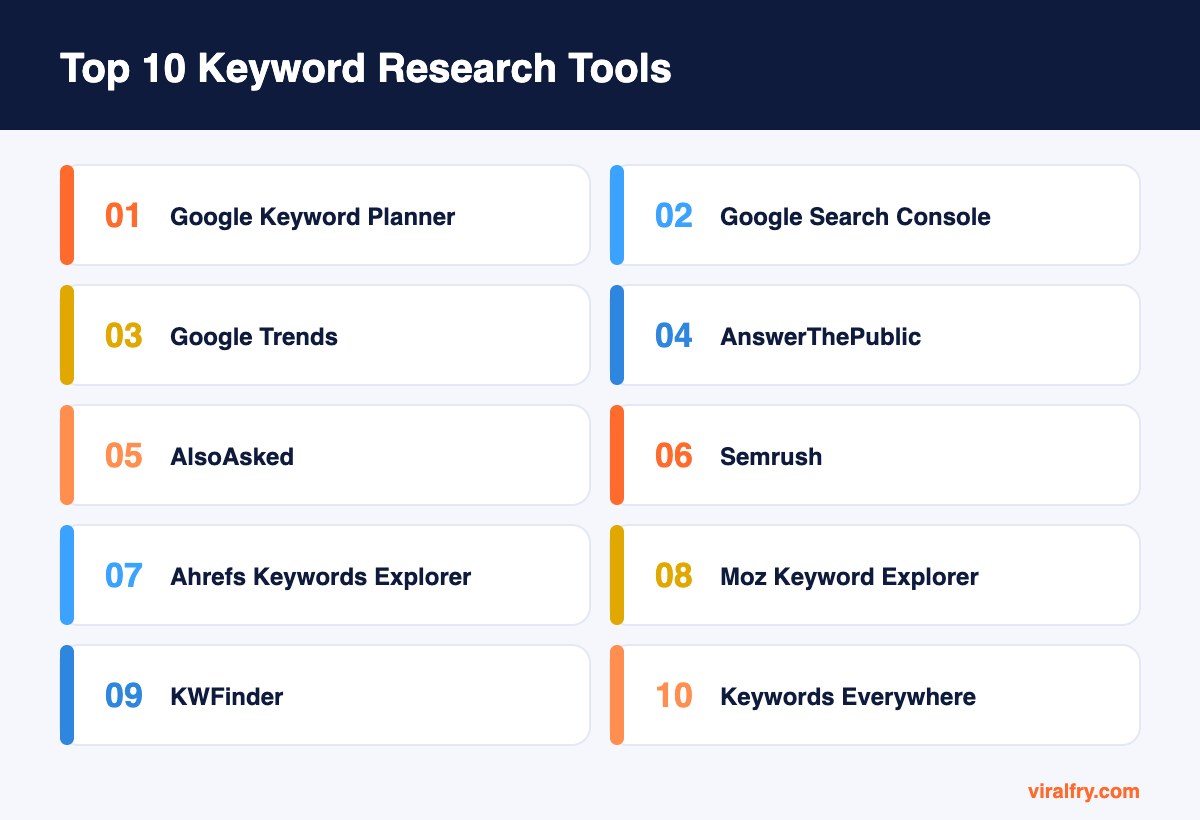
The top keyword research tools are Google Keyword Planner, Google Search Console, and Google Trends (free); AnswerThePublic, AlsoAsked, and Moz Keyword Explorer (freemium); and Semrush, Ahrefs Keywords Explorer, KWFinder, and Keywords Everywhere (paid). Free tools cover ideas, demand trends, and your existing rankings. Paid tools add accurate difficulty scores, competitor gaps, and large keyword databases.
Keyword research has changed. It is less about finding one perfect phrase and more about understanding the questions behind a topic, because Google and AI assistants now match meaning, not exact words. The best tool stack helps you see demand, intent, and the questions people actually ask.
What Are the Best Keyword Research Tools?
1. Google Keyword Planner (free)
Keyword Planner pulls ideas and volume ranges straight from Google’s ad data. It is free with a Google Ads account, and you do not need to run campaigns to use it.
Its weakness is precision: without active ad spend, volumes come in broad ranges. Use it to find ideas and compare demand between options, then confirm promising terms elsewhere.
2. Google Search Console (free)
The most underrated keyword tool of all, because it shows the queries your site already appears for. Many of those queries never show up in third-party databases.
Filter for queries with high impressions and low clicks, or positions 8 to 20. Those are keywords you can win by improving pages you already have.
3. Google Trends (free)
Trends does not give volumes, but it shows relative interest over time and by region. It is the best free way to compare two phrasings (“SEO agency” vs “SEO company”) and to catch seasonal peaks.
Use it before planning seasonal content so you publish ahead of the curve rather than at the peak.
4. AnswerThePublic (freemium)
AnswerThePublic turns a seed keyword into the questions, prepositions, and comparisons people type into search. It is ideal for finding long-tail questions and FAQ ideas.
The free plan allows a limited number of searches per day. Our AnswerThePublic guide explains how to turn its output into a content plan.
5. AlsoAsked (freemium)
AlsoAsked maps how People Also Ask questions branch from one another. That shows you the natural order in which searchers explore a topic, which is perfect for structuring headings.
It is especially useful for AEO, because each branch is a question an answer engine may try to resolve.
6. Semrush Keyword Magic Tool (paid)
Semrush has one of the largest keyword databases and lets you filter by intent, difficulty, SERP features, and questions. Its competitor gap tools show keywords rivals rank for that you do not.
It suits marketers who also want rank tracking, audits, and PPC research in the same subscription.
7. Ahrefs Keywords Explorer (paid)
Ahrefs is known for reliable clickstream-informed estimates and a clear Keyword Difficulty score based on backlinks. Its “Traffic potential” metric estimates traffic for the whole topic, not just one phrase, which helps you avoid writing several pages for the same intent.
Strong choice for content-led SEO teams.
8. Moz Keyword Explorer (freemium)
Moz offers a limited number of free keyword queries per month and paid plans for more. Its Priority score combines volume, difficulty, and organic click-through opportunity into one number.
A good option if you want a simpler interface than the bigger suites.
9. KWFinder by Mangools (paid)
KWFinder is built for simplicity. It is particularly good at long-tail keywords and local searches by city, with an easy difficulty score and SERP overview.
It is affordable and well suited to bloggers, freelancers, and small businesses.
10. Keywords Everywhere (low-cost credits)
Keywords Everywhere is a browser extension that shows volume, competition, and related terms directly on Google, YouTube, and other sites. It works on a pay-as-you-go credit system.
It is convenient for quick checks while browsing, and the related keywords widget often surfaces ideas you would miss.
How Do Free and Paid Keyword Tools Compare?
| Tool | Price model | Best feature |
|---|---|---|
| Google Keyword Planner | Free | Google ad data for ideas |
| Google Search Console | Free | Queries you already rank for |
| Google Trends | Free | Seasonality and comparisons |
| AnswerThePublic | Freemium | Question discovery |
| AlsoAsked | Freemium | People Also Ask mapping |
| Semrush | Paid | Huge database and intent filters |
| Ahrefs Keywords Explorer | Paid | Traffic potential and difficulty |
| Moz Keyword Explorer | Freemium | Priority score |
| KWFinder | Paid | Long-tail and local keywords |
| Keywords Everywhere | Credits | Data while you browse |
Do You Need a Paid Keyword Research Tool?
If you are starting out or work on one site, free tools plus one freemium tool are usually enough. Paid tools earn their cost when you need competitor keyword gaps, accurate difficulty scores, or research across many sites and markets. Many agencies use Semrush or Ahrefs as their main suite and add AnswerThePublic or AlsoAsked for questions.
How Has Keyword Research Changed for AI Search?
AI Overviews and chat assistants answer full questions, so long, conversational queries matter more than ever. Instead of targeting one keyword per page, group related questions into a topic and answer each one clearly. Question tools like AlsoAsked are now as important as volume tools. For a deeper look, read how to choose keywords for SEO and how many keywords per page.
How Do You Prioritize Keywords After Research?
Score each keyword group on three things: business value (would a visitor searching this become a customer?), difficulty (can your site realistically rank?), and traffic potential (how many searches does the whole topic attract?). High value with moderate difficulty goes first. Low value keywords can wait, no matter how big the volume looks.
What Keyword Research Mistakes Should You Avoid?
- Chasing volume over intent. A keyword with 50 monthly searches from ready-to-buy visitors can be worth more than one with 5,000 casual searches.
- Ignoring the SERP. Always look at what currently ranks. If the results are all videos or product pages, a blog post will struggle.
- Treating difficulty scores as facts. Each tool calculates difficulty differently. Compare your site’s authority with the sites actually ranking.
- Creating a page for every variation. “SEO agency,” “SEO company,” and “SEO firm” usually share one intent and belong on one page.
- Never revisiting the list. Search behavior changes. Refresh your research every quarter and check Search Console for new queries you are starting to appear for.
Avoiding these mistakes usually matters more than which tool you pick.
Key Takeaways
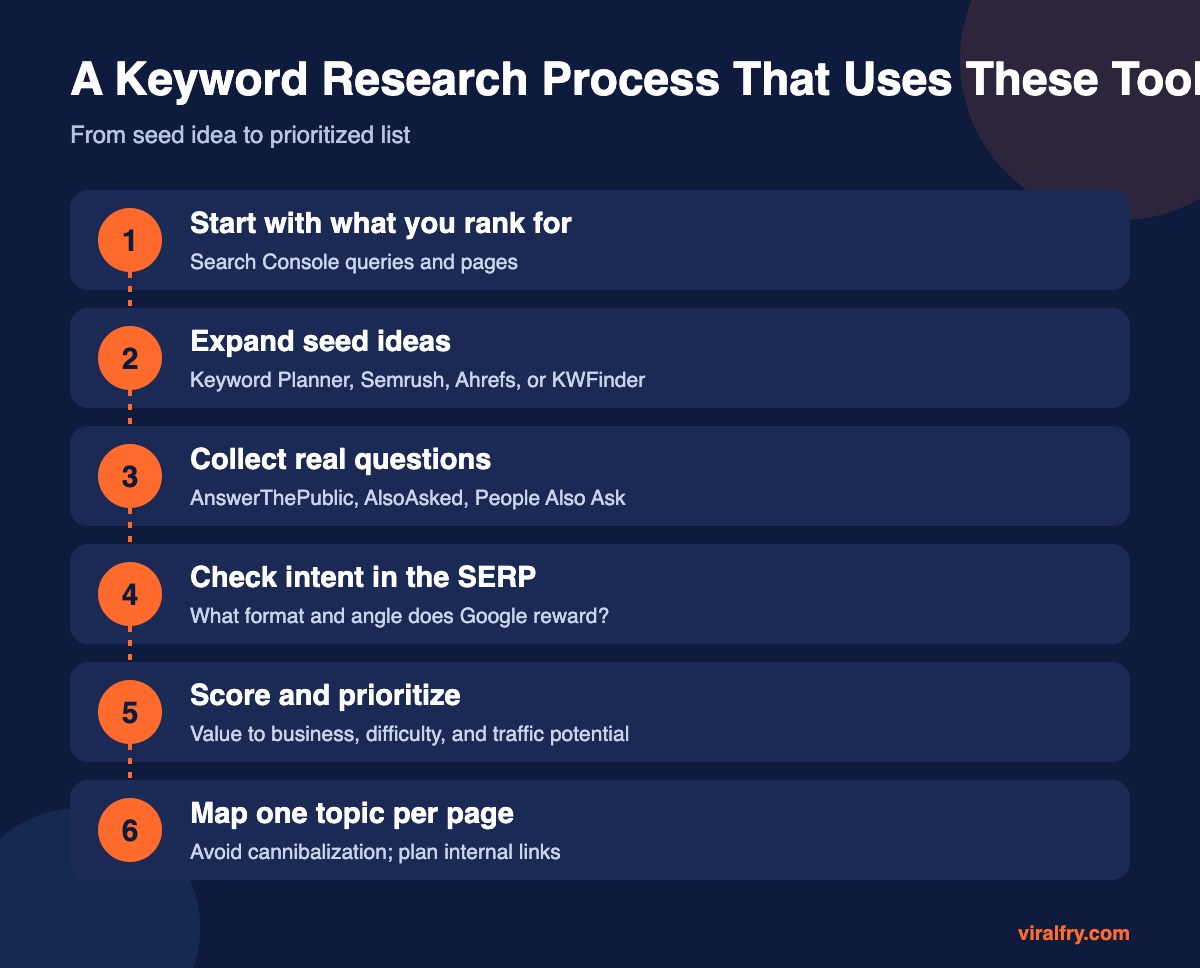
- Start with Search Console to see keywords you already rank for.
- Use Keyword Planner and Trends for free demand data.
- Add AnswerThePublic or AlsoAsked for real questions.
- Choose Semrush or Ahrefs when you need competitor and difficulty data.
- Group keywords into topics and prioritize by business value.
Frequently Asked Questions
What is the best free keyword research tool?
Google Search Console is the best free source for keywords you already rank for, and Google Keyword Planner is the best free source for new ideas and demand ranges.
Is Semrush or Ahrefs better for keyword research?
Both are excellent. Semrush offers a very large database with intent filters, and Ahrefs is known for its difficulty score and traffic potential metric. The best choice often depends on which other features you need.
How accurate are keyword search volumes?
Third-party volumes are estimates. Use them to compare relative demand, and check Search Console impressions for a more realistic view of your own visibility.
How many keywords should I target per page?
Target one main topic per page, with its close variations and related questions. Several pages targeting the same intent can compete with each other.
Add as Preferred Source