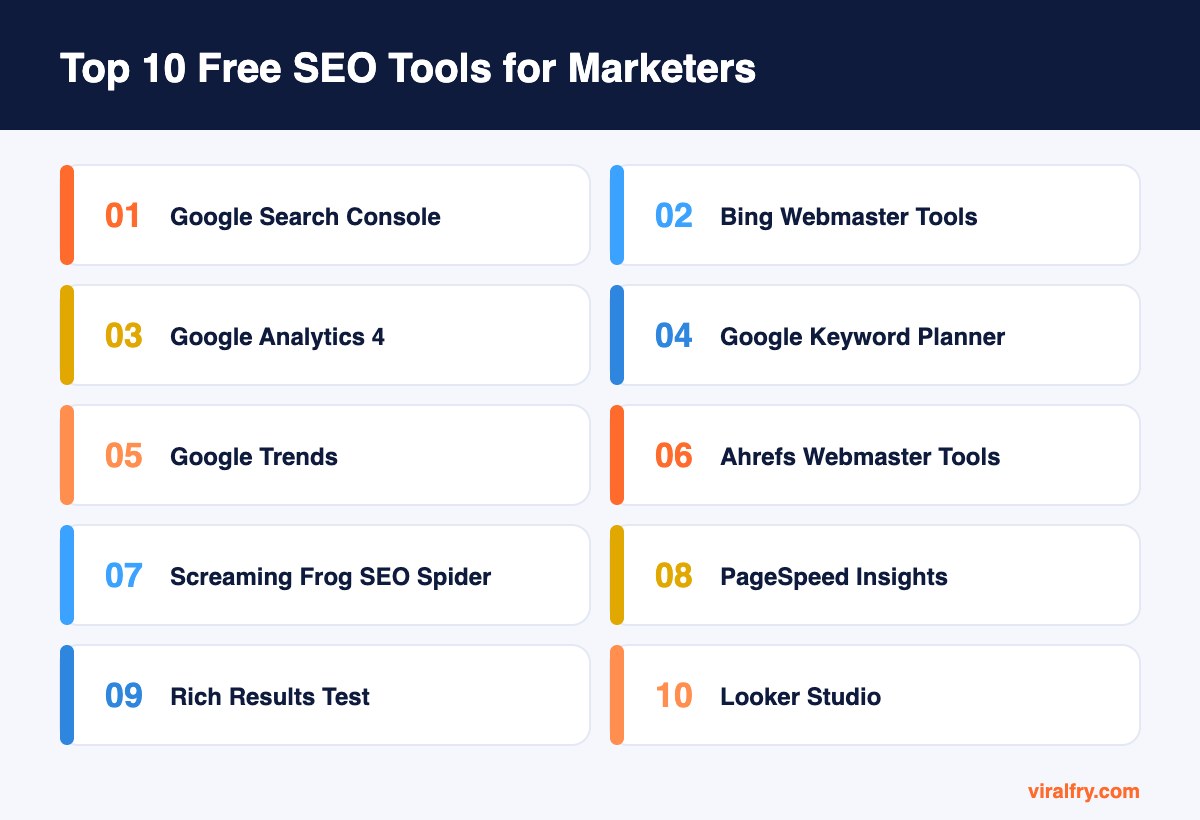
The free SEO tools every marketer should use are Google Search Console, Bing Webmaster Tools, Google Analytics 4, Google Keyword Planner, Google Trends, Ahrefs Webmaster Tools, Screaming Frog (up to 500 URLs), PageSpeed Insights, the Rich Results Test, and Looker Studio. Together they cover keyword research, technical audits, speed, structured data, measurement, and reporting without a paid subscription.
Paid suites are great, but they are not where SEO starts. Some of the most useful data you will ever see comes straight from Google and Microsoft at no cost. This list focuses on tools with no trial clock, no credit card, and real depth. For a broader roundup, see our guide to the best free SEO tools.
Which Free SEO Tools Should Every Marketer Use?
1. Google Search Console
Search Console is the closest thing marketers have to a direct line to Google. It shows queries, clicks, impressions, and average position for every page, and it flags indexing problems, security issues, and manual actions.
Our favorite use: filter queries by position 8 to 20 and you have a list of pages one good update away from page one.
2. Bing Webmaster Tools
Many marketers skip it, which is a mistake. Bing powers search results in several products and its index feeds into Microsoft Copilot. Bing Webmaster Tools gives you search performance, a site scanner, backlink data, and IndexNow support for faster indexing.
You can import your sites straight from Search Console, so setup takes about two minutes.
3. Google Analytics 4
GA4 connects organic traffic to outcomes. Mark key events such as sign-ups, demo requests, and purchases, then look at organic landing pages by conversions instead of sessions.
Also add a referral filter for AI tools like chatgpt.com and perplexity.ai so you can see how much traffic AI answers send you.
4. Google Keyword Planner
Built for Google Ads, but useful for SEO. It gives keyword ideas and search volume ranges directly from Google. You need an Ads account, though you do not have to run campaigns.
Volume ranges are broad, so use it for ideas and relative demand rather than precise forecasts.
5. Google Trends
Trends shows how interest in a topic rises and falls over time and by region. It is perfect for spotting seasonal patterns, comparing two phrasings, and catching breakout topics early.
Before you publish a seasonal guide, check Trends to see when interest starts climbing and publish a few weeks before that.
6. Ahrefs Webmaster Tools
Verify your site and Ahrefs gives you its Site Audit and Site Explorer for free on your own properties. That means a technical health report and a list of your backlinks with anchor text.
It is one of the most generous free offers from a paid SEO company.
7. Screaming Frog SEO Spider
The industry-standard crawler. The free version handles up to 500 URLs and finds broken links, redirect chains, missing titles, duplicate descriptions, and noindex tags.
Export the issues to a spreadsheet and you have an instant technical to-do list.
8. PageSpeed Insights
PageSpeed Insights combines real-user Core Web Vitals data with a lab test and specific recommendations. Check mobile first, since most searches happen on phones.
Look at the field data section for what users actually experience, not only the headline score.
9. Rich Results Test and Schema Markup Validator
These two free tools check whether your structured data is valid and which rich results it may qualify for. Run them every time you add or change schema.
Valid schema also helps AI systems understand your organization, authors, and products more clearly.
10. Looker Studio
Looker Studio turns Search Console and GA4 data into shareable dashboards. Build one SEO report that updates automatically and you will never copy numbers into slides again.
Templates are available, but a simple one-page dashboard with clicks, conversions, and top pages is usually enough.
How Do These Free Tools Fit Together?
Each tool does one job well. Used together, they form a full SEO workflow from research to reporting.
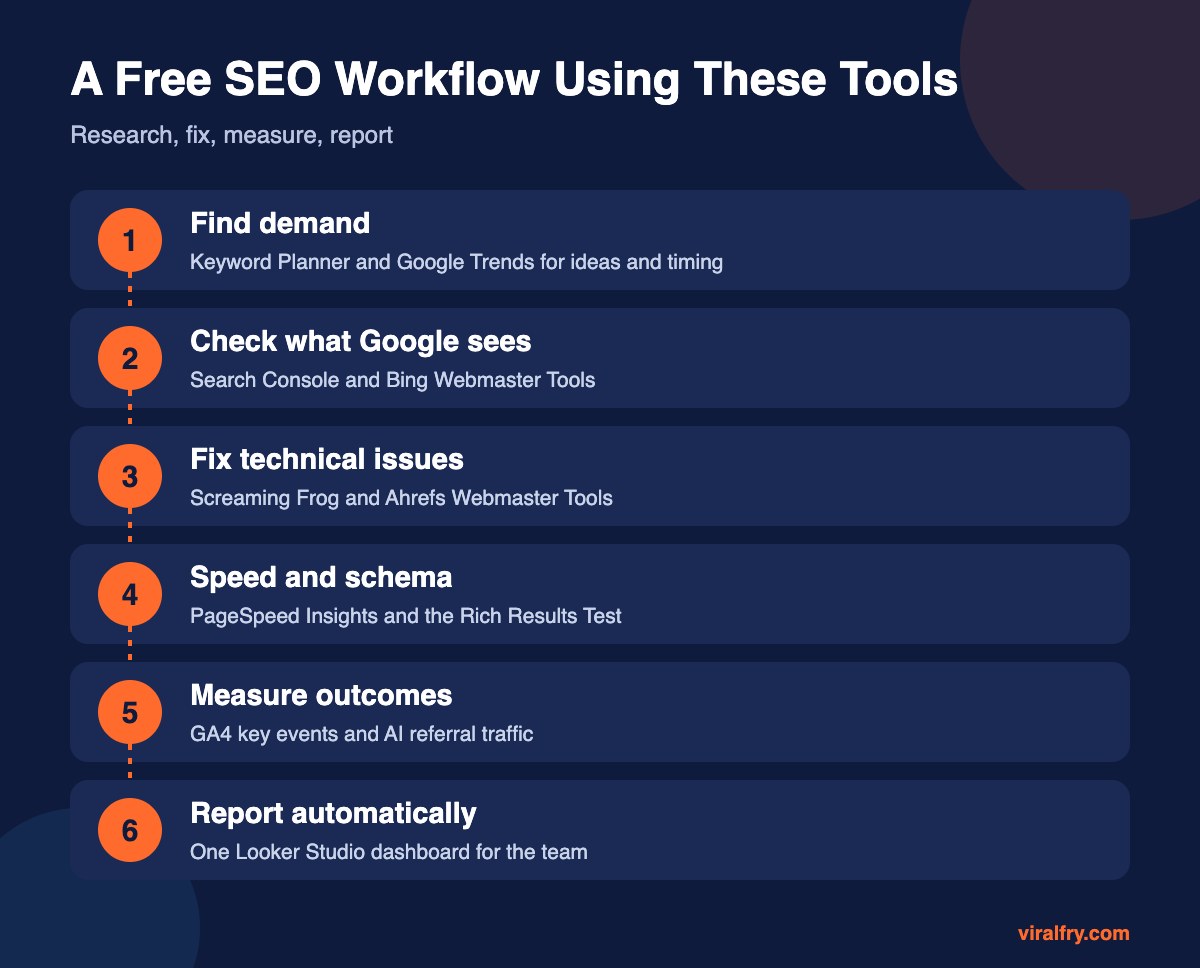
| Job | Free tool |
|---|---|
| Keyword ideas and volume | Google Keyword Planner |
| Seasonality and trends | Google Trends |
| Search performance | Search Console, Bing Webmaster Tools |
| Technical audit | Screaming Frog, Ahrefs Webmaster Tools |
| Speed | PageSpeed Insights |
| Structured data | Rich Results Test, Schema Markup Validator |
| Conversions | Google Analytics 4 |
| Reporting | Looker Studio |
What Are the Limits of Free SEO Tools?
- Competitor keyword and backlink data is limited without a paid suite
- Keyword Planner shows broad volume ranges unless you run ads
- Screaming Frog’s free version stops at 500 URLs
- Free tools rarely track daily rankings across many keywords
When those limits slow you down, that is the moment to pay for a suite. Until then, these tools are more than enough to grow organic traffic. If you need help choosing keywords with free data, read how to choose keywords for SEO.
How Should You Set Up These Tools in Your First Week?
Day one: verify your domain in Google Search Console using a DNS record, so every subdomain and protocol is covered. Then import the property into Bing Webmaster Tools. Submit your XML sitemap in both.
Day two: confirm GA4 is collecting data, mark your key events, and link GA4 to Search Console so you can see queries and landing pages side by side. Create a custom channel or exploration for AI referrals.
Day three: run Screaming Frog on your full site (or your 500 most important URLs) and verify the site in Ahrefs Webmaster Tools. Export the top issues: broken links, missing titles, duplicate descriptions, redirect chains, and pages blocked from indexing.
Day four: test your homepage and your three most visited templates in PageSpeed Insights and the Rich Results Test. Note anything failing Core Web Vitals or returning schema errors.
Day five: build a one-page Looker Studio dashboard with clicks, impressions, conversions from organic, and top landing pages. Share it with your team and book a 30-minute monthly review. That habit matters more than any individual tool on this list.
Key Takeaways
- Search Console and Bing Webmaster Tools show what search engines actually see.
- Keyword Planner and Trends cover research and timing.
- Screaming Frog and Ahrefs Webmaster Tools handle audits for free.
- GA4 and Looker Studio connect SEO to outcomes and reporting.
- Upgrade to paid tools only when free limits block real work.
Frequently Asked Questions
What is the best free SEO tool?
Google Search Console, because it provides first-party data on how your site performs in Google search, including queries, clicks, and indexing issues.
Is there a free alternative to Semrush or Ahrefs?
Ahrefs Webmaster Tools offers free audits and backlink data for your own verified sites. For competitor research, free options are limited, though Google Keyword Planner and Google Trends help with keyword ideas.
Is Bing Webmaster Tools worth setting up?
Yes. It takes minutes to import from Search Console, shows Bing search data, and supports IndexNow for faster indexing.
Can I do SEO with only free tools?
Yes. Many small and mid-sized sites grow organic traffic using only free tools. Paid suites mainly add competitor data and large-scale rank tracking.
Add as Preferred Source