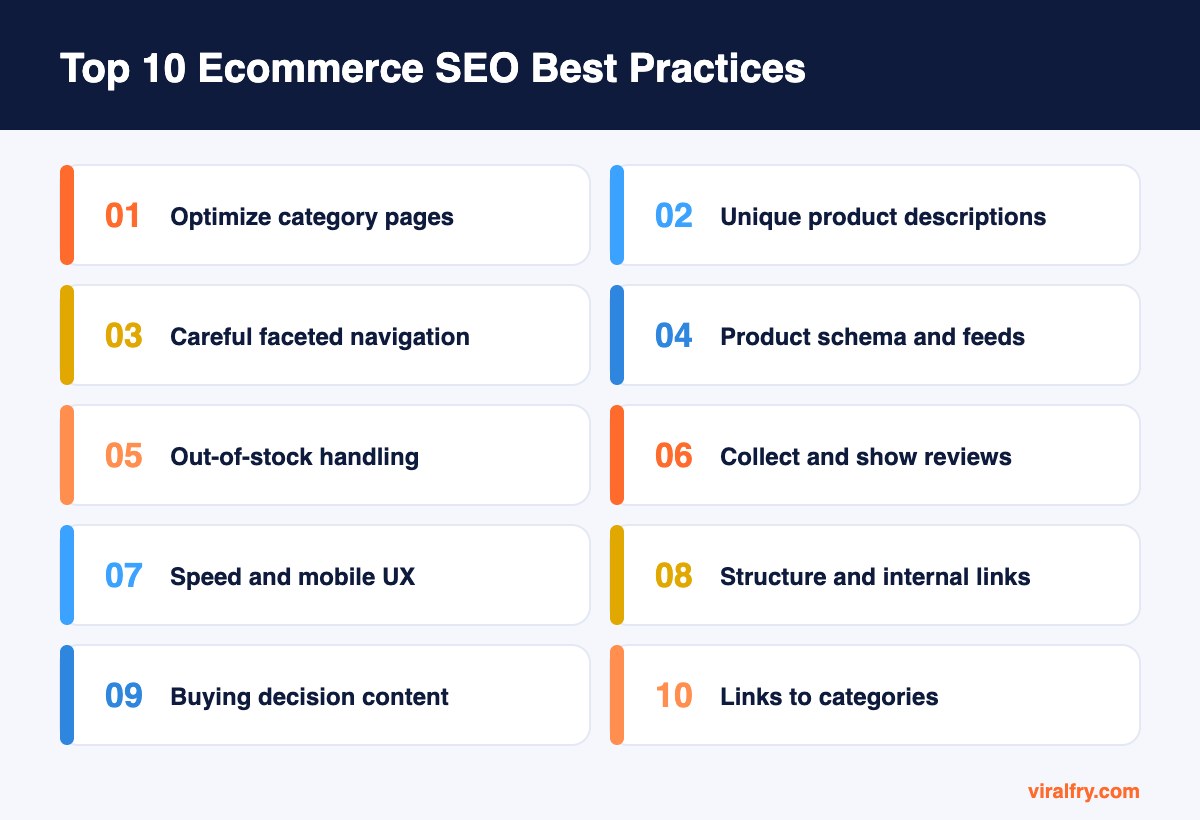
The most important ecommerce SEO best practices are optimizing category pages first, writing unique product descriptions, controlling faceted navigation, adding product schema and Merchant Center feeds, handling out-of-stock products correctly, collecting reviews, improving speed and mobile experience, building a clear site structure, creating buying-decision content, and earning links to category pages. Category and product pages are where ecommerce SEO turns into revenue.
Online stores have SEO challenges most websites do not: thousands of similar pages, constantly changing inventory, filters that multiply URLs, and competition from giant marketplaces. The practices below address those problems directly. For a broader look at hiring help, see what your store needs from an ecommerce SEO expert.
What Are the Best Ecommerce SEO Practices?
1. Optimize category pages first
Category pages usually target the highest-volume commercial keywords in ecommerce (“women’s running shoes,” “standing desks”). Give each one a unique title, a clear H1, a short helpful introduction, and well-organized products.
Add a brief buying guide or FAQ below the product grid. It helps shoppers and gives search engines more context without pushing products down the page.
2. Write unique product descriptions
Copying manufacturer descriptions means competing with every other store using the same text. Write your own descriptions covering benefits, use cases, sizing, materials, and care.
Add real photos, short videos, and specifications in a table. Detailed product pages convert better and rank better.
3. Handle faceted navigation carefully
Filters for color, size, price, and brand can create thousands of near-duplicate URLs. Decide which filter combinations deserve their own indexable pages (often those with real search demand, such as “black leather sofas”) and canonicalize or block the rest.
This is one of the most important technical decisions for any store.
4. Use product schema and merchant listings
Add Product schema with price, availability, reviews, and shipping details, and connect your catalog to Google Merchant Center. This makes products eligible for rich results and free listings in Google Shopping.
Validate markup regularly; price and availability errors are common after catalog updates.
5. Manage out-of-stock and discontinued products
Keep temporarily out-of-stock pages live with expected dates and alternatives. For permanently discontinued products, 301 redirect to the closest replacement or category.
Deleting pages with backlinks and traffic throws away hard-won authority.
6. Collect and display reviews
Product reviews add fresh, unique content, answer buyer questions, and build trust. They also feed review rich results when marked up correctly.
Ask buyers for reviews after delivery, and respond to negative reviews constructively.
7. Improve site speed and mobile experience
Ecommerce sites tend to be heavy: large images, apps, scripts, and tracking tags. Compress images, lazy-load below-the-fold content, and remove unused apps and plugins.
Most shoppers browse on mobile, so test checkout and product pages on real phones.
8. Build a clear site structure and internal links
Keep important categories within a few clicks of the homepage. Use breadcrumbs, related products, and links from blog content to relevant categories.
A logical structure helps search engines crawl large catalogs efficiently and distributes authority to money pages.
9. Create content that supports buying decisions
Buying guides, comparisons, sizing guides, and how-to articles capture shoppers earlier in their journey and link naturally to categories and products.
For example, “how to choose a standing desk” can rank for research queries and send readers straight to your desk category.
10. Earn links to category pages
Supplier “where to buy” listings, product reviews by creators, original data, and digital PR all earn links. Use internal links to pass that authority to key categories.
Our guide to ecommerce link building covers tactics in detail.
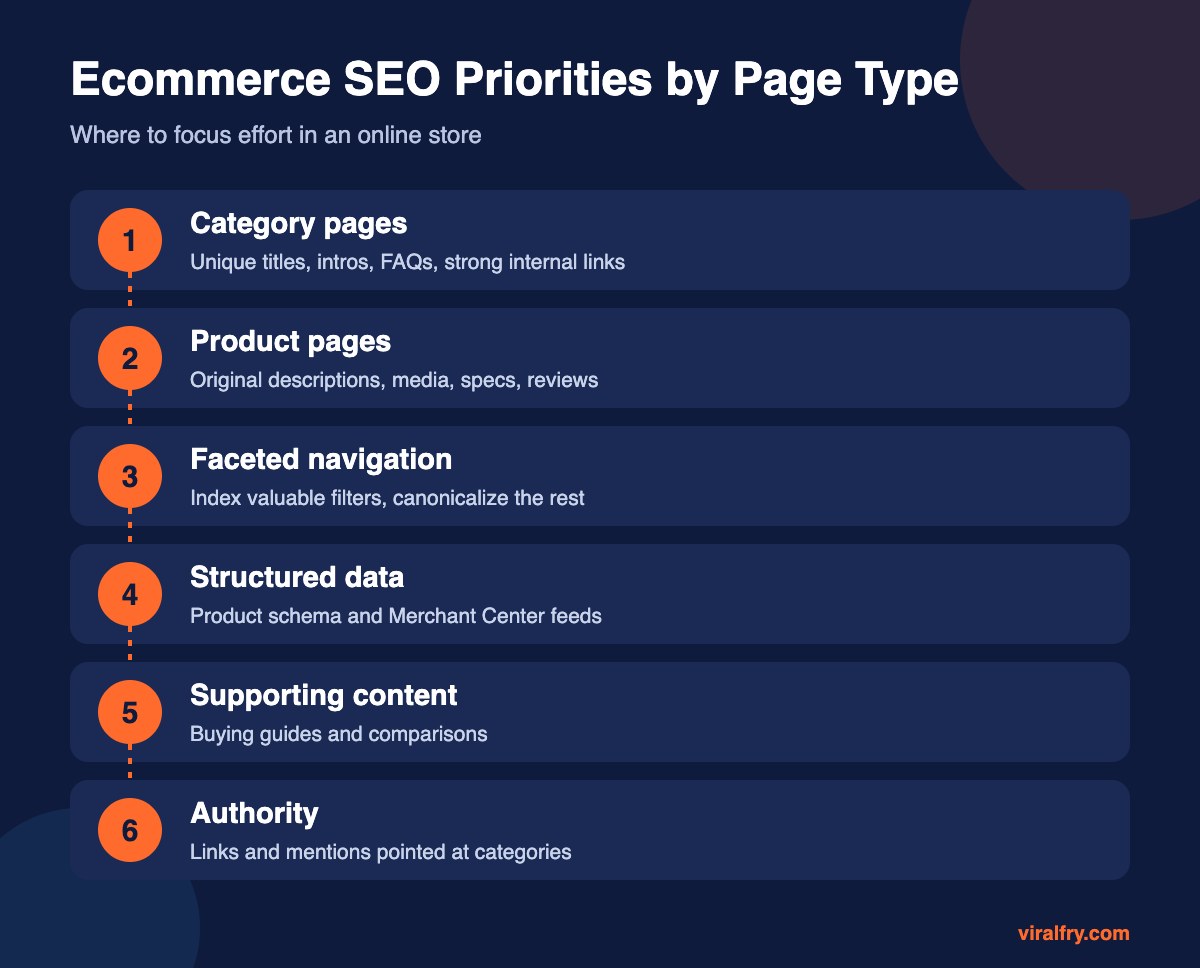
Which Ecommerce Pages Bring the Most Organic Revenue?
| Page type | Typical keywords | Revenue impact |
|---|---|---|
| Category pages | Broad product terms | Highest |
| Product pages | Specific product and model names | High |
| Filtered pages with demand | Color, material, or style plus product | Medium to high |
| Buying guides | How to choose, best for | Medium, assists sales |
| Brand pages | Brand plus product type | Medium |
How Do You Compete With Amazon and Big Marketplaces?
You rarely beat Amazon on broad terms, but you can win on specialization. Focus on niche categories, detailed product information, expert buying guides, strong reviews, and long-tail searches where marketplaces offer generic pages. Brand loyalty and email also matter, since repeat customers reduce dependence on search.
How Does AI Search Affect Ecommerce SEO?
Shoppers increasingly ask AI assistants for product recommendations. Accurate product data, clear specifications in tables, genuine reviews, and mentions in credible buying guides help your products appear. Keep your Merchant Center feed accurate, since Google uses product data across shopping and AI experiences.
What Ecommerce SEO Mistakes Should You Avoid?
- Using manufacturer descriptions on every product
- Letting every filter combination get indexed
- Deleting discontinued products with backlinks
- Thin category pages with no text or structure
- Ignoring page speed because of too many apps
If you sell on Amazon as well, our guide to Amazon Vendor Central vs Seller Central explains the trade-offs.
What Does an Optimized Category Page Look Like?
Take a category like “standing desks.” The title tag reads “Standing Desks: Electric and Manual Sit-Stand Desks | Brand,” and the H1 simply says “Standing Desks.” A two- or three-sentence introduction explains the range and who it suits, without pushing the products below the fold.
Filters for size, frame type, and price help shoppers narrow choices, and only the most searched combinations, such as “L-shaped standing desks,” have their own indexable pages. Products show prices, ratings, and stock status, all marked up with schema.
Below the grid, a short buying guide answers the questions shoppers ask most: what height range do I need, single or dual motor, how much weight can it hold. Links point to the full guide and to related categories like monitor arms and desk chairs.
The page is fast on mobile, and blog articles about ergonomics link to it with descriptive anchors. That combination of clarity, depth, and internal support is what lifts category pages over time.
Which Ecommerce Platform Is Best for SEO?
Shopify, WooCommerce, BigCommerce, and Magento can all rank well. What matters more is how the store is configured: clean URLs, controlled filters, fast themes, and few unnecessary apps. Choose the platform your team can manage well, then follow the practices above consistently.
Key Takeaways
- Category pages are usually the biggest ecommerce SEO opportunity.
- Write original product content with media and specs.
- Control faceted navigation to avoid duplicate URLs.
- Use product schema, Merchant Center, and reviews.
- Redirect discontinued products and earn links to categories.
Frequently Asked Questions
What is ecommerce SEO?
Ecommerce SEO is the process of optimizing an online store so its category and product pages rank in search engines and attract shoppers ready to buy.
Should I write unique product descriptions?
Yes. Unique descriptions help you stand out from other retailers using the same manufacturer text and usually improve both rankings and conversions.
How do I handle out-of-stock products for SEO?
Keep temporarily unavailable products live with alternatives and restock dates. Redirect permanently discontinued products to the closest replacement or category.
Do filters hurt ecommerce SEO?
They can create many duplicate URLs. Allow indexing only for filter pages with real search demand, and canonicalize or block the rest.
Add as Preferred Source