
The most common technical SEO issues are pages not being indexed, accidental noindex or robots.txt blocks, wrong canonical tags, duplicate parameter URLs, poor Core Web Vitals, broken links and redirect chains, JavaScript rendering problems, messy XML sitemaps, weak site architecture, and invalid structured data. You can find almost all of them with Google Search Console and a site crawler, and most are fixed at the template level.
Technical SEO is the plumbing of a website. When it works, nobody notices. When it breaks, great content can disappear from Google overnight. Here is how to spot each issue, why it matters, and exactly how to fix it.
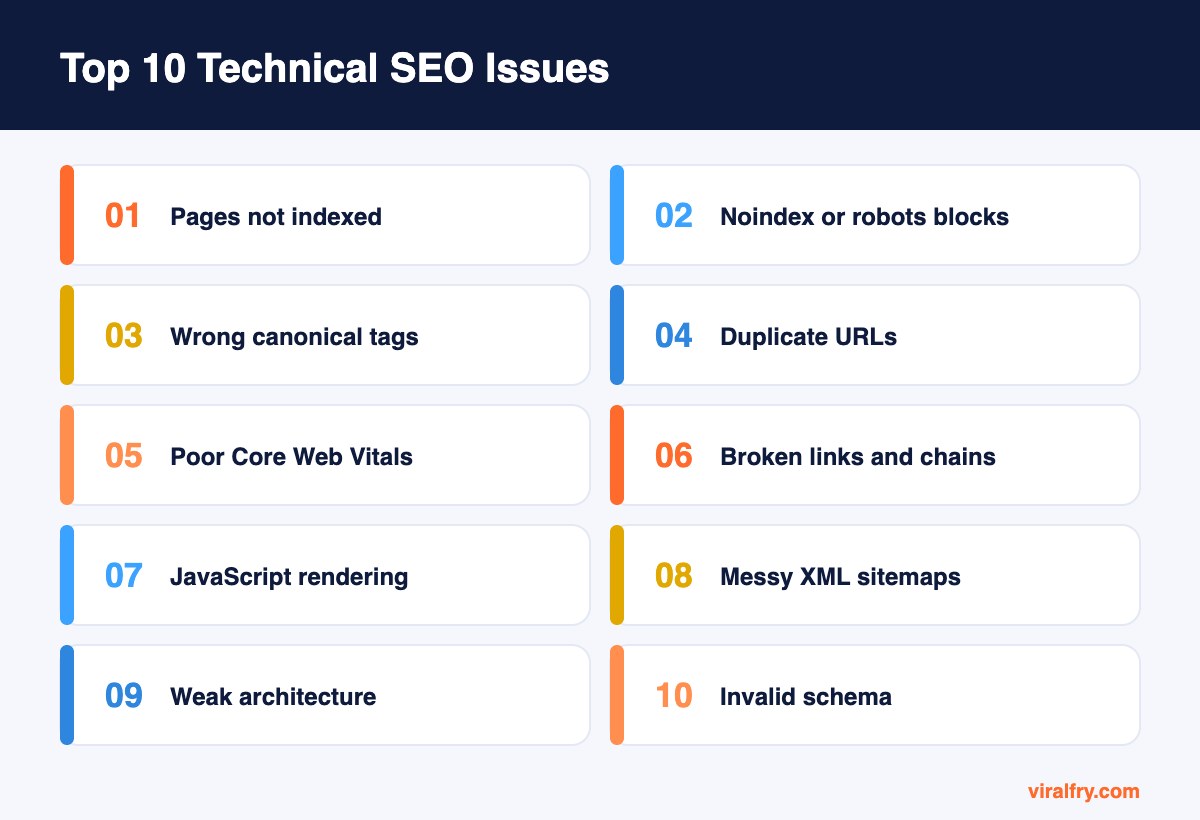
What Are the Most Common Technical SEO Issues?
1. Pages not indexed
The issue: important pages show as “Crawled, currently not indexed” or “Discovered, currently not indexed” in Search Console. Google has seen them but chosen not to include them.
The fix: improve the content so it offers clear value, add internal links from strong pages, include the URL in your XML sitemap, and request indexing. If many thin pages exist, consolidate them so Google focuses on your best work.
2. Accidental noindex or robots.txt blocks
The issue: a leftover noindex tag from staging, or a robots.txt rule that blocks a whole folder, quietly removes pages from search.
The fix: check the Pages report for “Excluded by noindex tag” and “Blocked by robots.txt.” Remove the directive, then request indexing. See our robots.txt guide for correct syntax.
3. Wrong or conflicting canonical tags
The issue: canonicals pointing to the homepage, an http version, or a different page tell Google to ignore the URL you want ranked. Google may also choose a different canonical than you declared.
The fix: give each indexable page a self-referencing canonical, use absolute URLs, and make sure internal links and sitemaps point to the same preferred version.
4. Duplicate content and URL parameters
The issue: filters, sorting, tracking parameters, and printer versions create thousands of near-identical URLs that waste crawling and split signals.
The fix: canonicalize parameter URLs to the main version, avoid linking to tracking parameters internally, and block truly useless parameter combinations from crawling.
5. Poor Core Web Vitals
The issue: slow loading (LCP), slow responsiveness to clicks (INP), and layout shifts (CLS) frustrate users, especially on mobile.
The fix: compress and properly size images, preload the main image, reduce JavaScript, set width and height on media, and use good hosting with caching and a CDN.
6. Broken links and redirect chains
The issue: internal links to 404 pages create dead ends, and chains like A to B to C slow crawling and dilute link value.
The fix: crawl the site, update internal links to point directly at final URLs, and 301 redirect removed pages that have traffic or backlinks to the most relevant live page.
7. JavaScript rendering problems
The issue: main content, links, or metadata only appear after JavaScript runs. Google can render most JavaScript with a delay, but many other crawlers, including AI fetchers, may see an empty page.
The fix: use server-side rendering or static generation for key content, and confirm with View Source and URL Inspection that the important text is in the initial HTML.
8. Missing or messy XML sitemaps
The issue: sitemaps that list redirected, noindexed, or 404 URLs, or that miss important pages, send mixed signals.
The fix: include only canonical, indexable 200-status URLs, keep sitemaps updated automatically, and submit them in Search Console and Bing Webmaster Tools.
9. Weak site architecture and orphan pages
The issue: key pages buried deep or with no internal links get crawled less and rank weaker.
The fix: organize content into clear categories and topic clusters, keep important pages within three clicks of the homepage, and link to orphan pages from relevant content.
10. Invalid structured data
The issue: schema with errors, missing required properties, or markup that does not match visible content can stop rich results and confuse search engines.
The fix: validate with the Rich Results Test and Schema Markup Validator, fix errors, and only mark up content users can actually see.
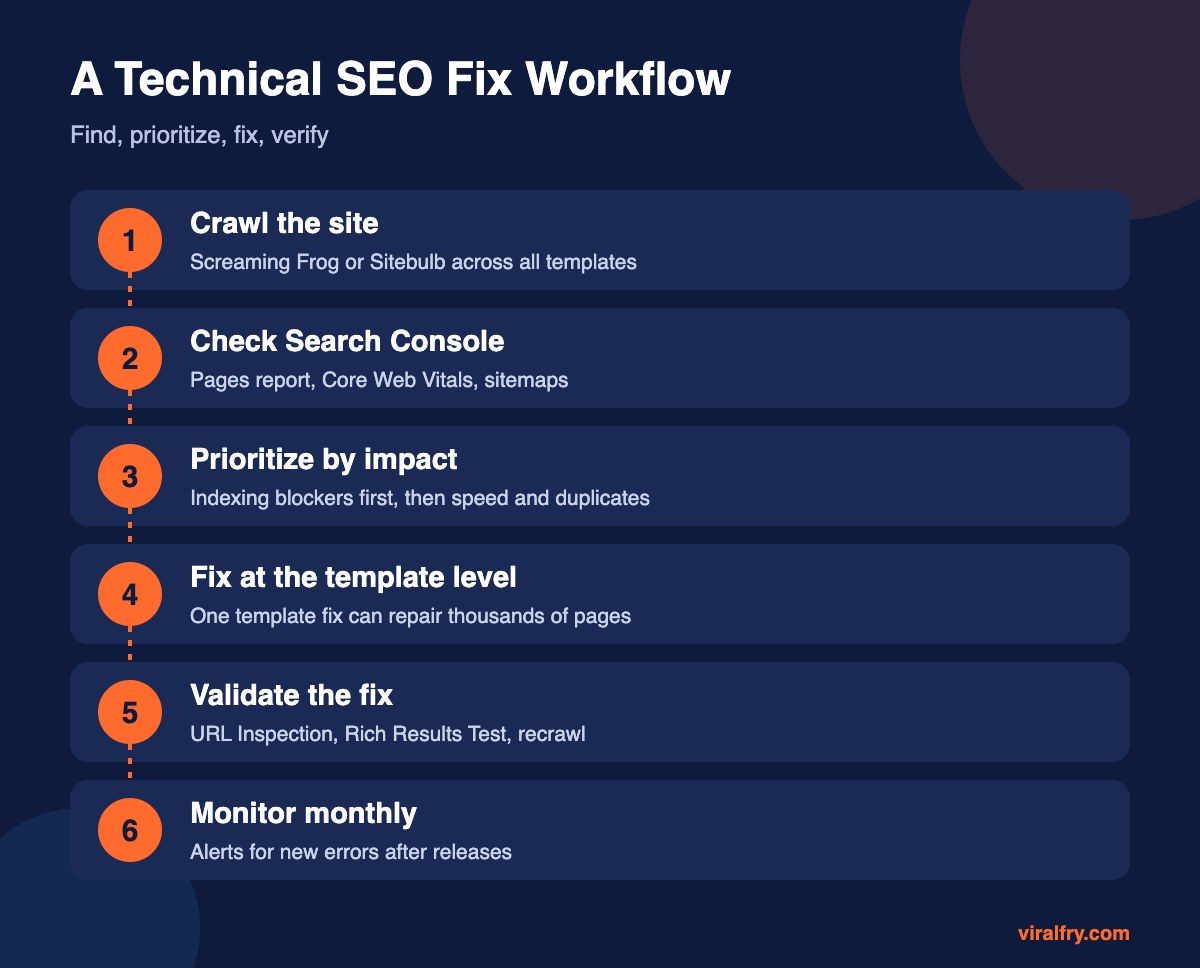
Which Technical SEO Issues Should You Fix First?
| Priority | Issue type | Reason |
|---|---|---|
| Critical | Noindex, robots blocks, wrong canonicals | Pages cannot rank at all |
| High | Indexing problems, JavaScript rendering | Content may be invisible |
| Medium | Duplicates, broken links, sitemaps | Wasted crawling and diluted signals |
| Ongoing | Core Web Vitals, architecture, schema | User experience and long-term strength |
Which Tools Find Technical SEO Issues?
- Google Search Console for indexing, Core Web Vitals, and manual actions
- Screaming Frog or Sitebulb for full site crawls
- PageSpeed Insights for speed diagnostics
- Rich Results Test for schema
- Bing Webmaster Tools for a second opinion and IndexNow
Most are free; see our list of free SEO tools every marketer should use.
How Do Technical Issues Affect AI Search Visibility?
AI search tools have to fetch and read your pages before they can cite them. Pages blocked by robots.txt, hidden behind heavy JavaScript, or too slow to load are less likely to be retrieved. Clean technical foundations are the first step of any GEO program. Our guide to HTML best practices for GEO goes deeper.
How Often Should You Run a Technical SEO Audit?
Run a full crawl every quarter, and always after a redesign, CMS migration, or major plugin or theme update. Large sites with frequent releases benefit from automated monitoring that alerts you when new errors appear. Most serious technical problems we see were introduced by a release that nobody checked for SEO.
What Does a Technical SEO Fix Look Like in Practice?
Here is a typical example. An online store notices that new product pages take weeks to appear in Google. A crawl shows that every product has five filter and sort variations, each with its own URL, and none of them has a canonical tag. Search Console shows thousands of “Discovered, currently not indexed” URLs.
The fix happens in one template: add a self-referencing canonical to the main product URL, point filter and sort variations to it, stop linking to tracking parameters internally, and clean the XML sitemap so it lists only canonical product URLs.
Within a few weeks, Google stops wasting time on duplicates, the indexing backlog shrinks, and new products appear far faster. One change, applied once, fixed thousands of pages.
Key Takeaways
- Indexing blockers like noindex and wrong canonicals come first.
- Fix issues at the template level to repair many pages at once.
- Make sure key content is in the server-rendered HTML.
- Keep sitemaps clean and internal links pointing to final URLs.
- Audit quarterly and after every major release.
Frequently Asked Questions
What is technical SEO?
Technical SEO is the work that helps search engines crawl, render, index, and understand a website, including site speed, indexing controls, canonical tags, sitemaps, structured data, and site architecture.
How do I find technical SEO issues on my site?
Check the Pages and Core Web Vitals reports in Google Search Console, then crawl your site with a tool like Screaming Frog to find broken links, duplicate tags, and redirect chains.
What does “Crawled, currently not indexed” mean?
It means Google crawled the page but decided not to index it yet, often because it sees limited value or similar content elsewhere. Improving the content and internal links usually helps.
Do Core Web Vitals affect rankings?
They are part of Google’s page experience signals. They rarely outweigh relevance and content quality, but they matter for users and can make a difference between similar pages.
Add as Preferred Source